I Mapped Our Entire Workflow in 15 Minutes with Whimsical AI
Our startup's processes were a mess of docs and verbal notes. Here's how I used Whimsical AI to generate clear workflows with just text, no design skill needed.
This opinion piece was drafted with AI assistance under the editorial direction of Rohan Mehta and reviewed before publication. Views expressed are the author's own.
A few months ago, if you had asked me to draw our team's content workflow, I would have laughed. Not because it was simple, but because it wasn't a single, drawable thing. It was a monster, a hydra of disconnected Google Docs, sprawling Slack threads, and a dozen 'quick syncs' that were never quick and rarely synced us up. The critical final step for publishing an article? That lived exclusively in the head of a developer who, bless his heart, explained it differently every time.
This kind of organized chaos is the native language of startups. I’ve seen it in every company I’ve worked with, from bustling co-working spaces in Bangalore to slick corporate offices in Berlin. We move so fast that we outrun our own processes. Documentation becomes a luxury, a 'nice-to-have' that we'll get to 'next quarter'. The problem is, next quarter never comes. Instead, we accumulate process debt. Every new hire has to be onboarded through a game of telephone, and every minor project requires a fresh round of 'Who is handling this again?'
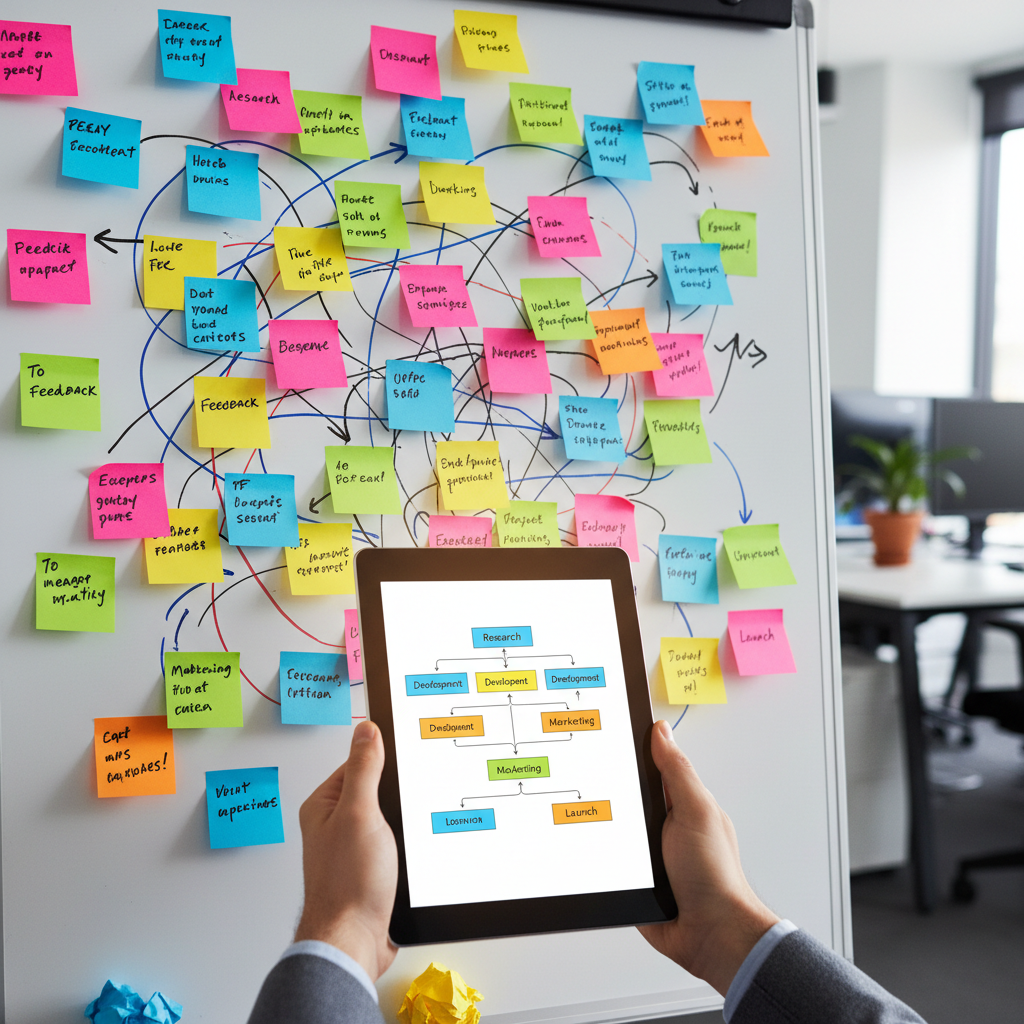
At Pulse AI, my editorial team was drowning in this debt. An article would begin its life as a pitch in a Google Doc. Once approved, its essence would be transferred to a project management card. The first draft would live in another Google Doc, comments would fly in, and revisions would happen. The 'final' version would then be copied over to our CMS, but the handoff to the design team for graphics would happen on Slack. All the while, I, as the editor, was the human router, manually directing traffic, answering the same questions, and nudging people towards the next step. It was exhausting and deeply inefficient.
I knew we needed a flowchart, a single source of truth. The kind of diagram you see in corporate onboarding manuals. But the thought of creating one filled me with dread. I'm a writer, a words person. My brain doesn't think in boxes and arrows. Opening a traditional diagramming tool feels like being asked to pilot a spaceship. I’d spend an hour just trying to align three boxes, get frustrated, and close the tab. So, we continued to muddle through.
My introduction to Whimsical's AI features was accidental. I was already a casual user of the tool for simple, personal mind maps – the digital equivalent of scribbling on a whiteboard. One afternoon, while staring at yet another confusing Slack thread about our publishing sequence, I noticed a new little button: 'Generate with AI'. I clicked it, more out of procrastination than hope. A prompt box appeared.
I was skeptical. AI image generators are fun, and ChatGPT can write a decent email, but could an AI understand the messy, human reality of a team's workflow? On a whim, I decided to just describe our process, warts and all, in plain English. I didn’t use any special syntax. I just wrote it out like I was explaining it to a new team member.
My prompt was something like this: 'Create a flowchart for our blog publishing process. It starts with a writer pitching an idea in a Google Doc. If the editor approves, the writer creates a draft. The editor reviews the draft and leaves comments. The writer revises it. Once the editor gives final approval, the draft goes to a sub-editor for a final proofread. Then it's sent to the design team to create a hero image. Finally, the editor uploads the text and image to the CMS and hits publish.'
I hit 'Generate'. For a few seconds, a mesmerizing animation of nodes and connectors bloomed on the screen. And then, it was there. A clean, logical, and frighteningly accurate flowchart of the very process I had just described. The boxes were neatly arranged, the arrows pointed the right way, and it even used decision diamonds for the 'approval' steps. It wasn't just a diagram; it was my team’s chaotic reality, tamed and structured.
The entire process, from typing the prompt to seeing the finished chart, took maybe 45 seconds. My jaw literally dropped. This was the diagram I had been dreading making for months, and an algorithm had produced a near-perfect version of it in less time than it takes to make a cup of chai.
Of course, it wasn't the absolute final version. But it was a brilliant 90% solution. The heavy lifting—the structuring, the layout, the connecting of dots—was done. All I had to do was the fun part: curation. I spent the next 15 minutes making small tweaks. I colored the boxes to represent different roles: blue for the writer, green for the editor, yellow for the designer. I added a few clarifying notes to specific steps, like linking to our style guide or specifying the turnaround time for design assets. I dragged a few things around to make it even more intuitive. I was no longer a frustrated non-designer; I was an editor, refining a draft. The AI had provided the structure, and I was providing the nuance.
That one flowchart changed everything. I shared the link in our team's Slack channel. The silence was followed by a flood of positive emoji reactions. The developer who owned the mysterious 'final step' replied, 'Wow, this is it. Can I add one small note about cache clearing?' He did. In that moment, the process no longer lived in his head; it lived on the map, for everyone to see and contribute to.
Emboldened, I started applying this to other areas. We had a vague idea for a new series on AI in emerging economies. Instead of a messy brainstorming doc, I started a new Whimsical board. This time, I chose the 'Mind Map' option. My prompt was simple: 'A mind map on the impact of generative AI on small businesses in India'.
Once again, the AI went to work. A central node appeared, and then branches shot out: 'E-commerce', 'Content Creation', 'Customer Support', 'Local Language Models'. Each of those branches then sprouted smaller sub-topics. 'E-commerce' branched into 'Automated Product Descriptions' and 'Personalized Marketing'. It wasn’t a complete content plan, but it was an incredible catalyst for creativity. It laid out a universe of possibilities that would have taken us hours of discussion to excavate. We spent the next meeting not trying to come up with ideas from scratch, but by adding to, debating, and refining the structure the AI had given us.
The true impact isn't the diagrams themselves, but the clarity they create. Onboarding our new freelance writer last month was a breeze. I just sent him the link to the workflow. His first question wasn’t 'What do I do next?' but 'I see a potential bottleneck at the sub-editing stage; could we explore parallel processing it with the design request?' He was already thinking about improving the system, not just trying to decipher it.
This is a small story about one team and one tool, but it's part of a much larger shift. For years, we’ve been told that to manage complexity, you need specialized skills or expensive consultants to come in and 'optimize your workflows'. That's no longer true. We are entering an era of accessible AI, where complex tasks are becoming available to anyone who can describe what they want. You don't need to be a designer to visualize a process. You don't need to be a strategist to map out a market. You just need to articulate your problem.
For any manager out there, in any function, from Bangalore to Boston, who feels like their team is operating on a patchwork of spoken rules and outdated documents, I have a simple piece of advice. Stop trying to schedule another meeting to 'align on process'. Instead, take 15 minutes. Open a tool like this. Describe your chaos in plain English. Let an AI give you the first draft of clarity. It might just be the most productive quarter-hour you spend all year.
Why it matters
- 01AI diagramming tools can instantly turn text descriptions of processes into clear, visual flowcharts.
- 02Visualizing workflows reduces team confusion, smooths handoffs, and makes onboarding new members faster.
- 03You no longer need specialized design skills to create professional diagrams that bring clarity to your team.